用惯 Win 10 右键菜单,Win 11 进行了隐藏,故每次都需要操作手动换回一次,特此记录,后续直接在自己这里看
在底栏右键点击打开 任务管理器,点运行 新任务,勾选使用管理员权限打开 cmd
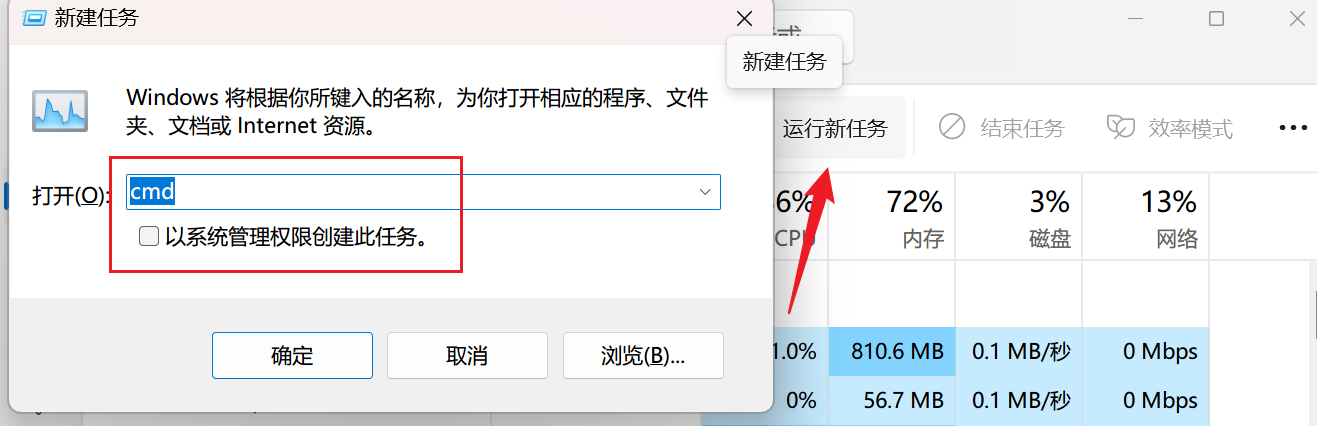
打开后复制输入 2行命令
reg add "HKCU\Software\Classes\CLSID\{86ca1aa0-34aa-4e8b-a509-50c905bae2a2}\InprocServer32" /f /ve
taskkill /f /im explorer.exe & start explorer.exe
输入完毕后待 任务管理器重启完成即可
完